Call now
Service

AI Business IT

AI Business IT is SIMONIAN Technology's own software, for businesses worldwide. It sits on every computer and server, watches, and reports what needs attention before it becomes a problem. 30 days free trial for companies and IT teams.

We manage your IT

The software is already on every machine. It reports to us and we handle what it finds. You do nothing.

You have an IT team

Your team gets the licence. The software reports to them and they handle what it finds.

You want to try it first

For companies and IT teams. Install it on your machines, use it for 30 days for free, then decide.

What AI Business IT changes for you

  • You hear about it before it stops work. A disk filling up, a backup that stopped, a machine that keeps crashing, power that keeps cutting: the report says it long before the day it fails.
  • Every machine is checked, without anyone walking around. One report per machine, with a score and what needs attention first.
  • You know when security has a hole. Firewall, antivirus, updates that never installed, remote access left open.
  • You know what you have. Every machine’s processor, memory, disks, printers and installed programs, without asking anyone.
  • You see who is struggling before they complain. Slow machines, crashing programs, memory running out.
  • Nothing to set up. You install it and it configures itself. It runs quietly in the background and does not slow the machine down.
  • Wherever the machine is, the report reaches you. At the office, at home or in another country, every machine reports the same way.
  • It reports, it does not touch. It changes nothing on the machine. Acting on what it finds is your call, or ours, so it cannot break anything.
  • No personal data. It reads how the machine is doing, not what is on it: no documents, no email, no keystrokes. Compliant with data protection rules.

What it looks at

Everything an IT person checks by going from machine to machine, it checks for you, on every machine. Every report starts with a summary and puts every detail under it.
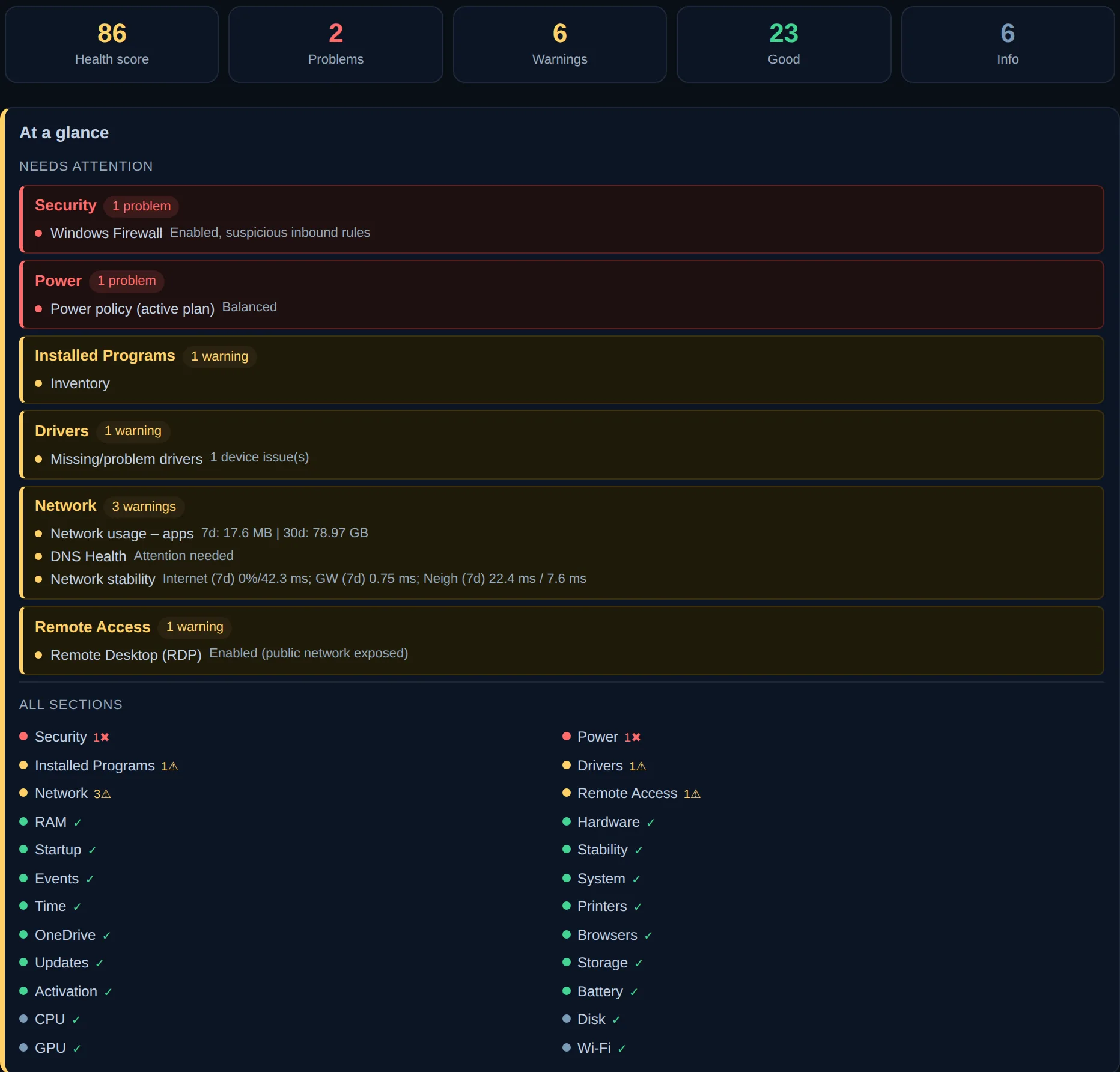
The top of a report: the health score, the number of problems and warnings, and the list of what needs attention first
The summary One score per machine, what needs attention first, and every detail underneath. Green is fine, red is a problem.
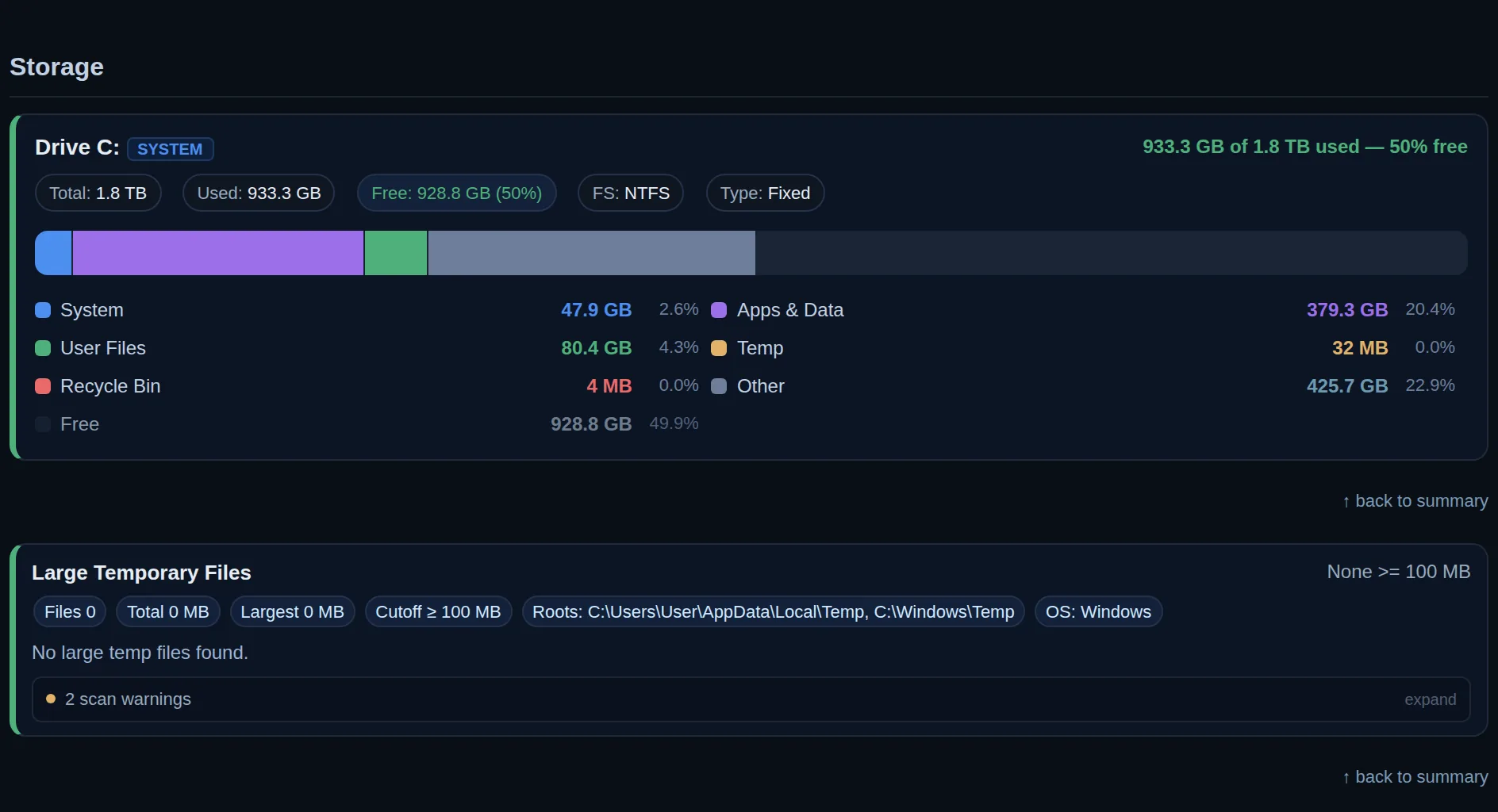
The Storage section of a report
Storage A full disk is why a machine crawls or crashes. You see it filling up weeks before it is full.
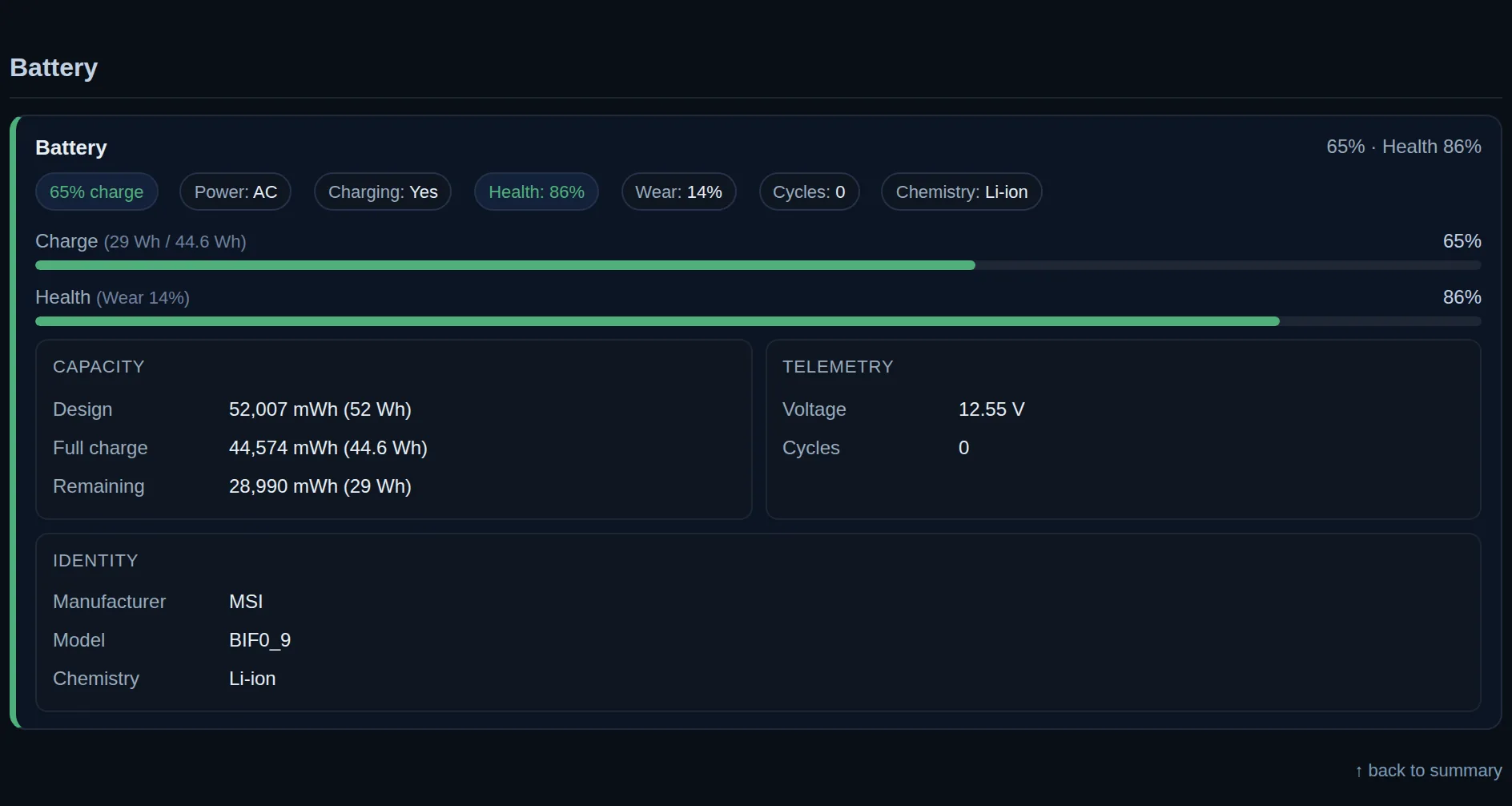
The Battery section of a report
Battery Wear and health of every laptop battery, so replacements are planned ahead instead of forced.
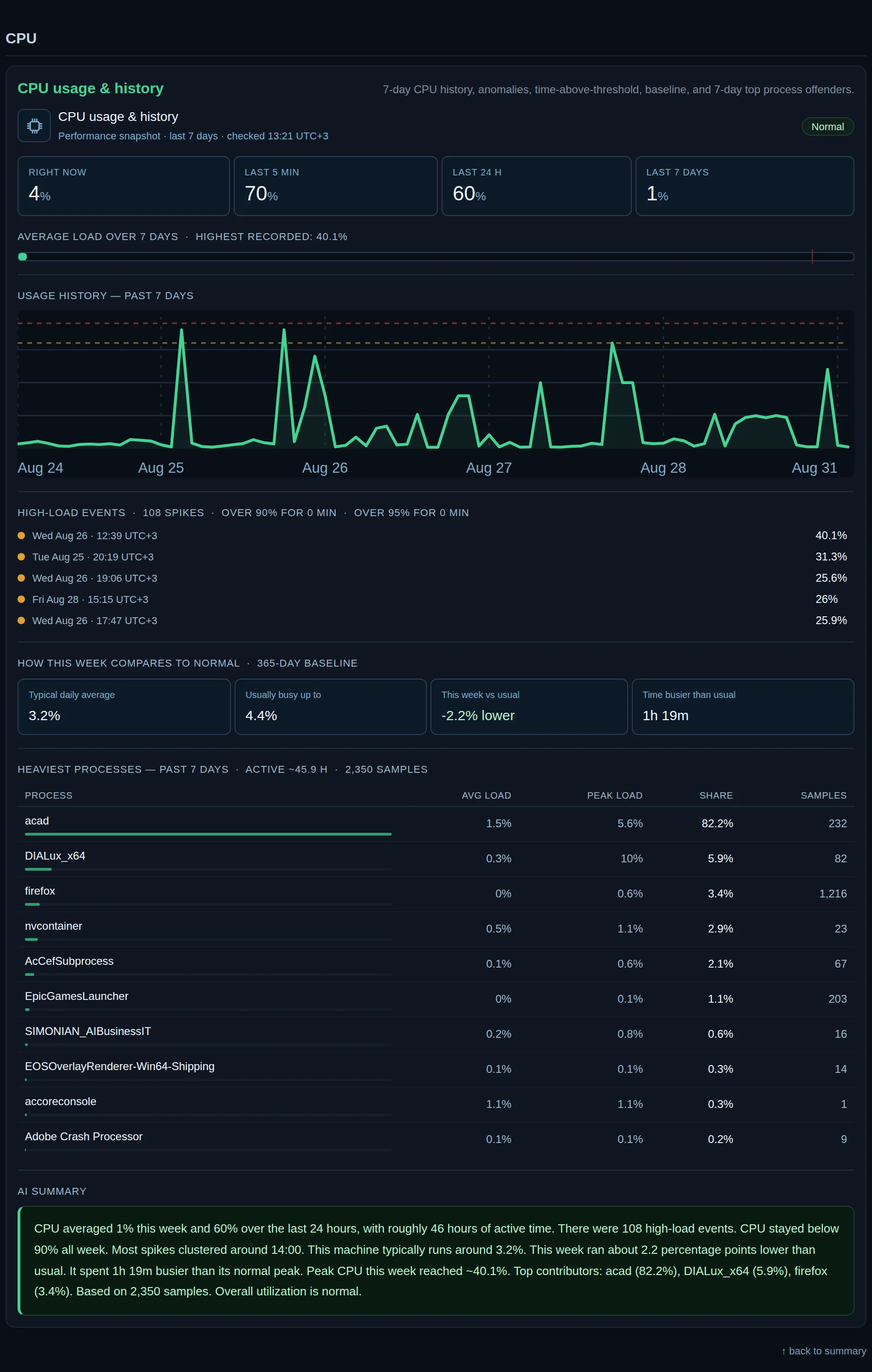
The Processor section of a report
Processor A machine working harder than normal has a cause. You see it, and which program is behind it.
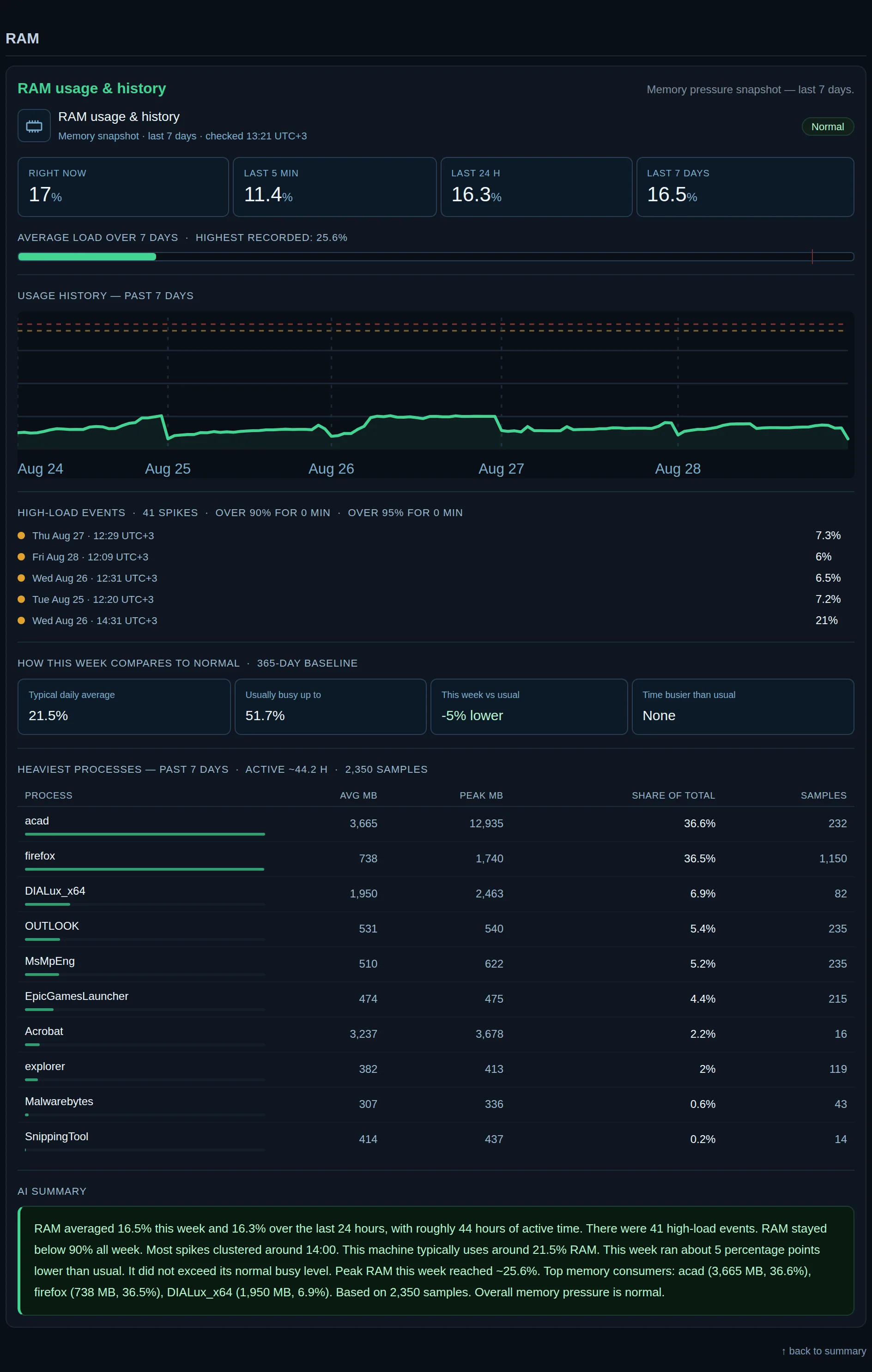
The Memory section of a report
Memory Machines short of memory are the ones people call slow. You know which ones before anyone calls.
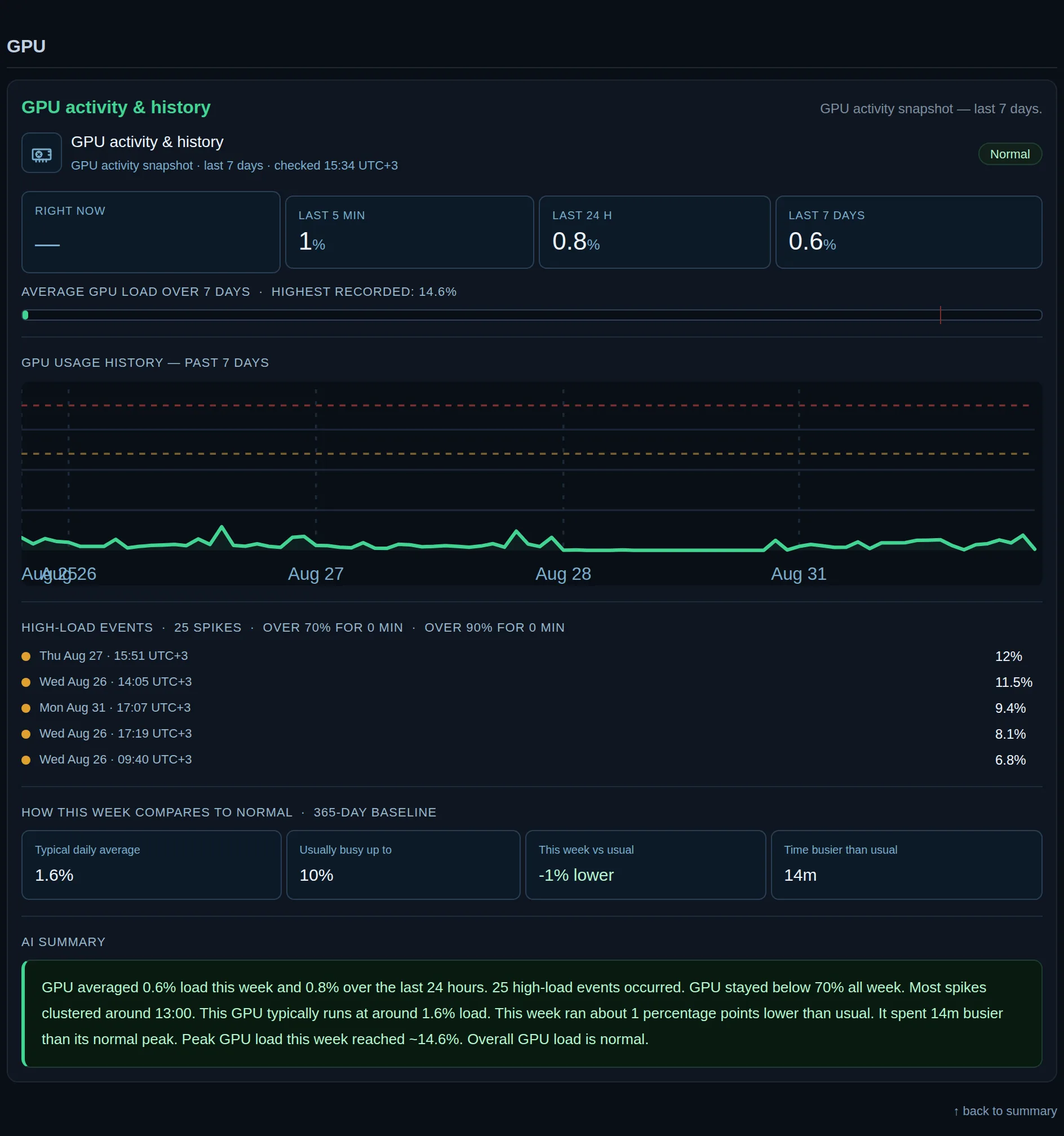
The Graphics section of a report
Graphics Load and temperature of the graphics card. A card that runs hot fails early, and this shows it.
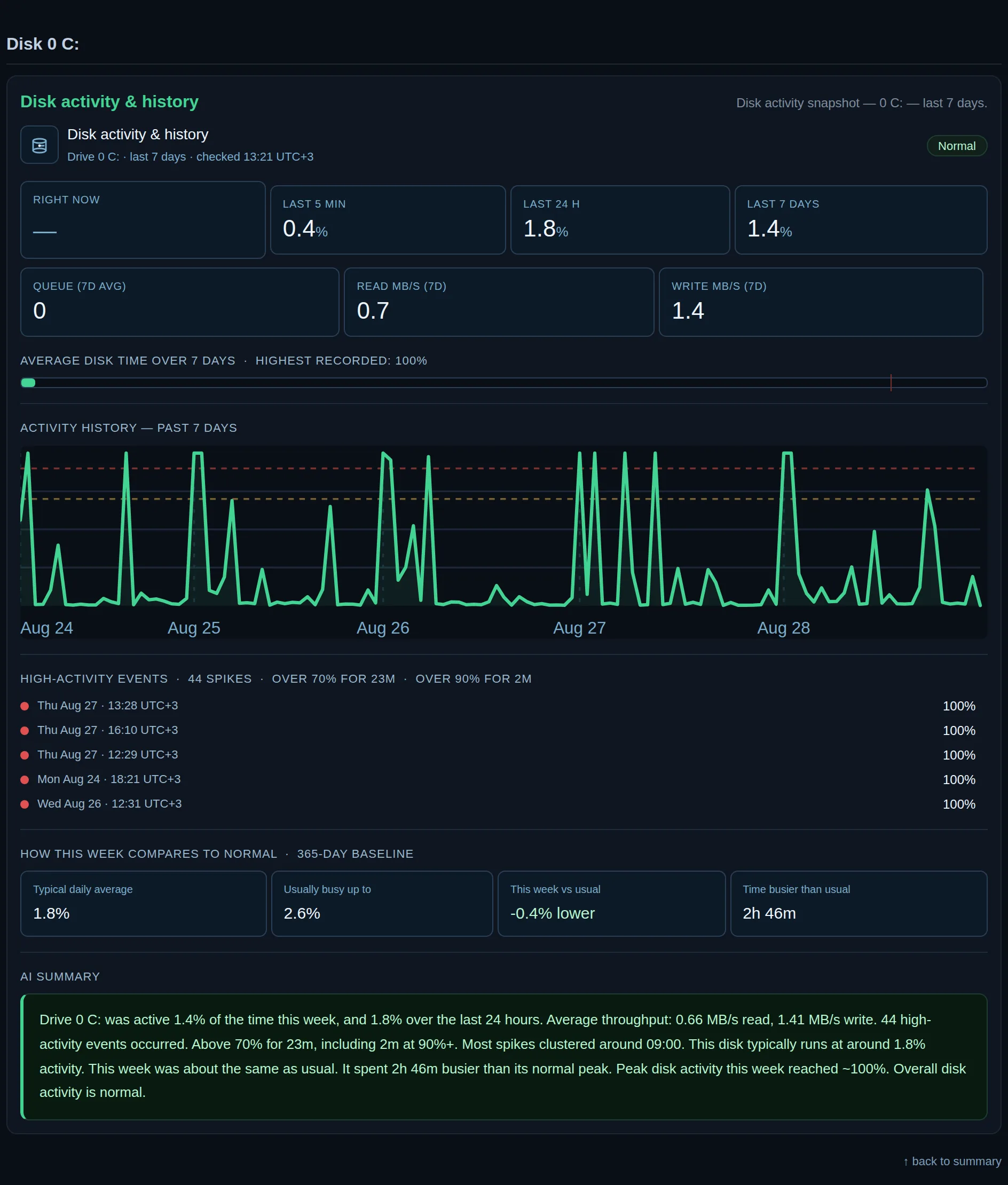
The Disk activity section of a report
Disk activity A disk at full activity all day means someone waits all day. You see which machine, and when.
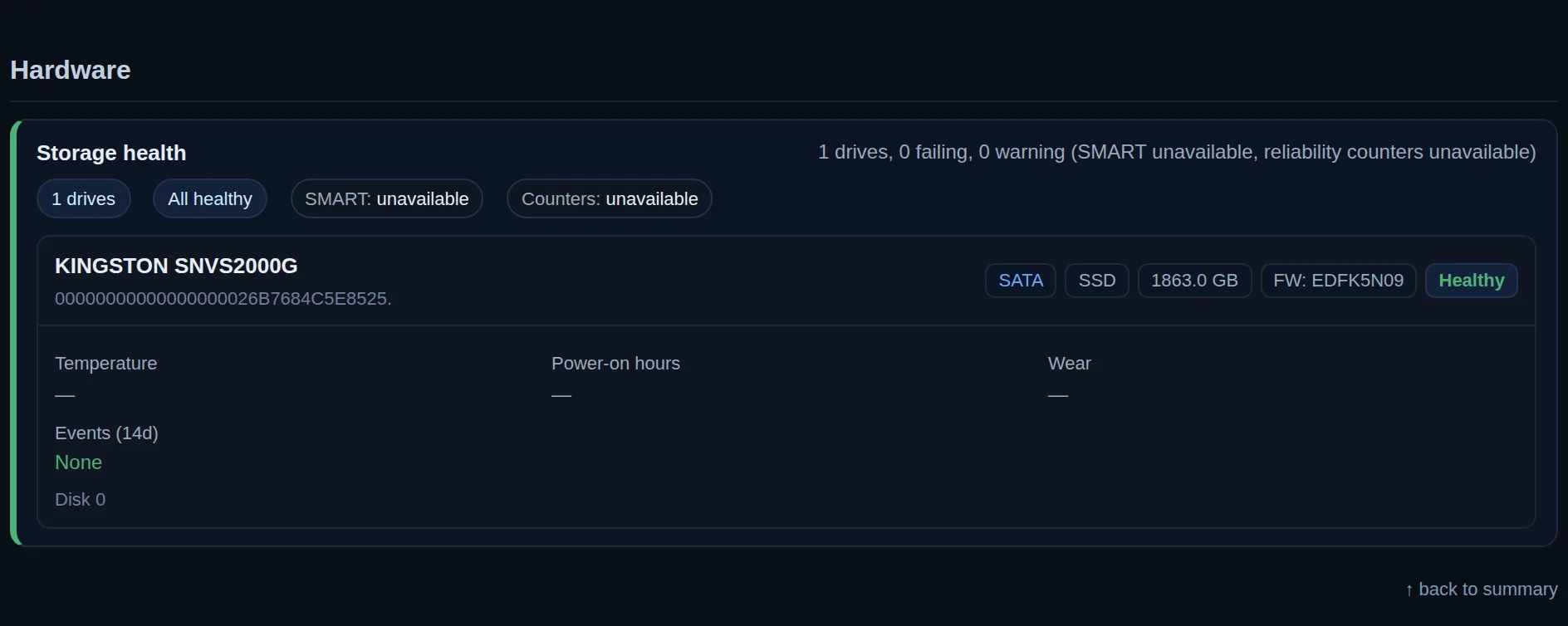
The Hardware section of a report
Hardware Drives warn before they fail. The warning is read for you, so the drive is replaced in time.
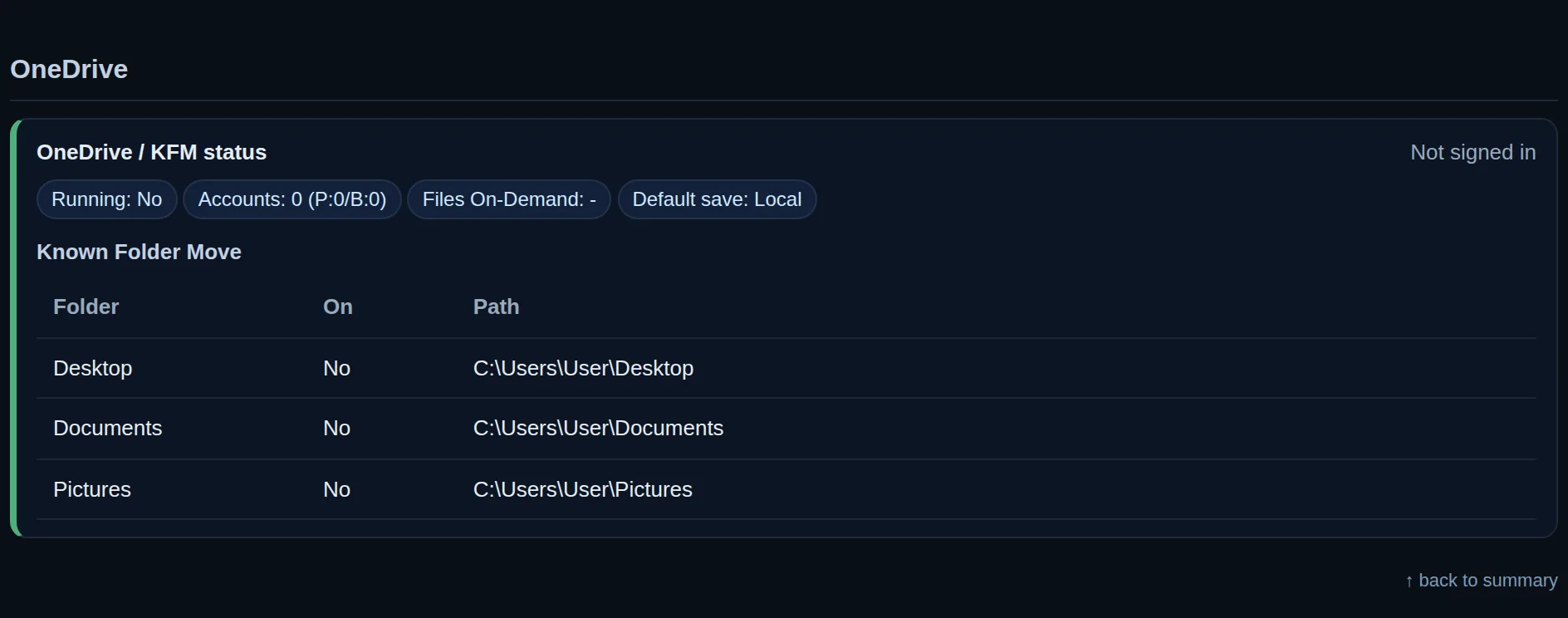
The OneDrive section of a report
OneDrive OneDrive taking over the desktop without asking and slowing the machine. You see where it is on.
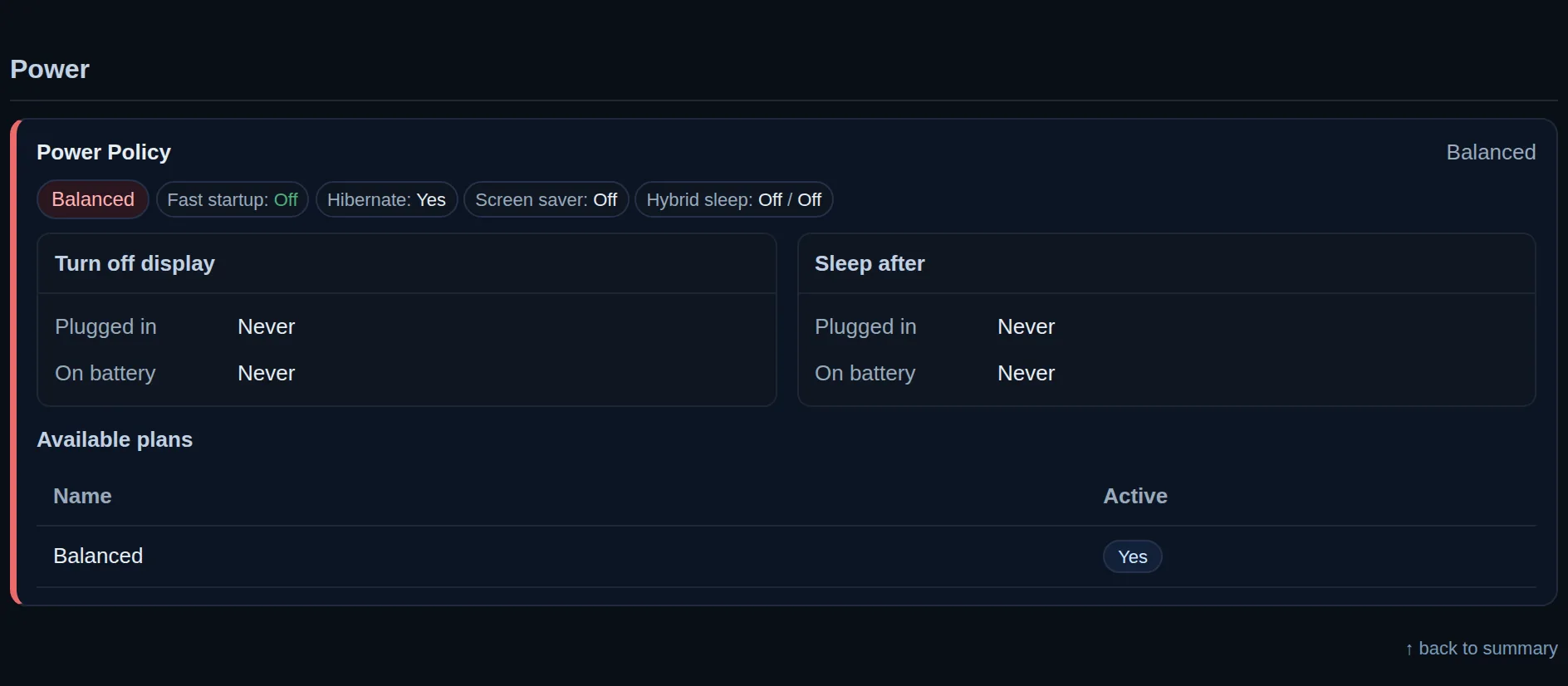
The Power section of a report
Power Unexpected shutdowns, counted. A machine losing power ten times a month has a bad supply or plug.
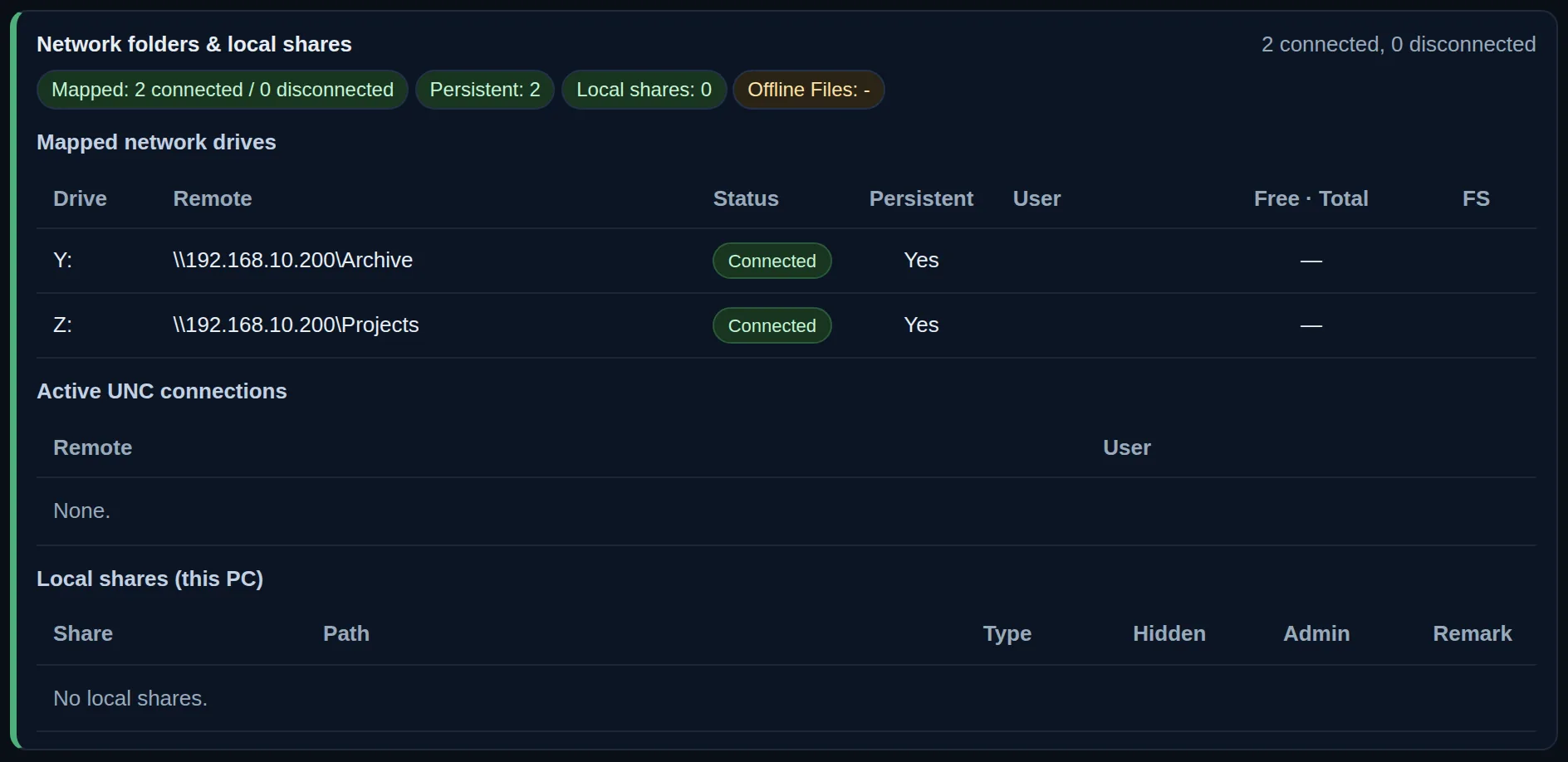
The Network folders section of a report
Network folders The shared drives each machine reaches, and the ones that dropped, seen at once instead of later.
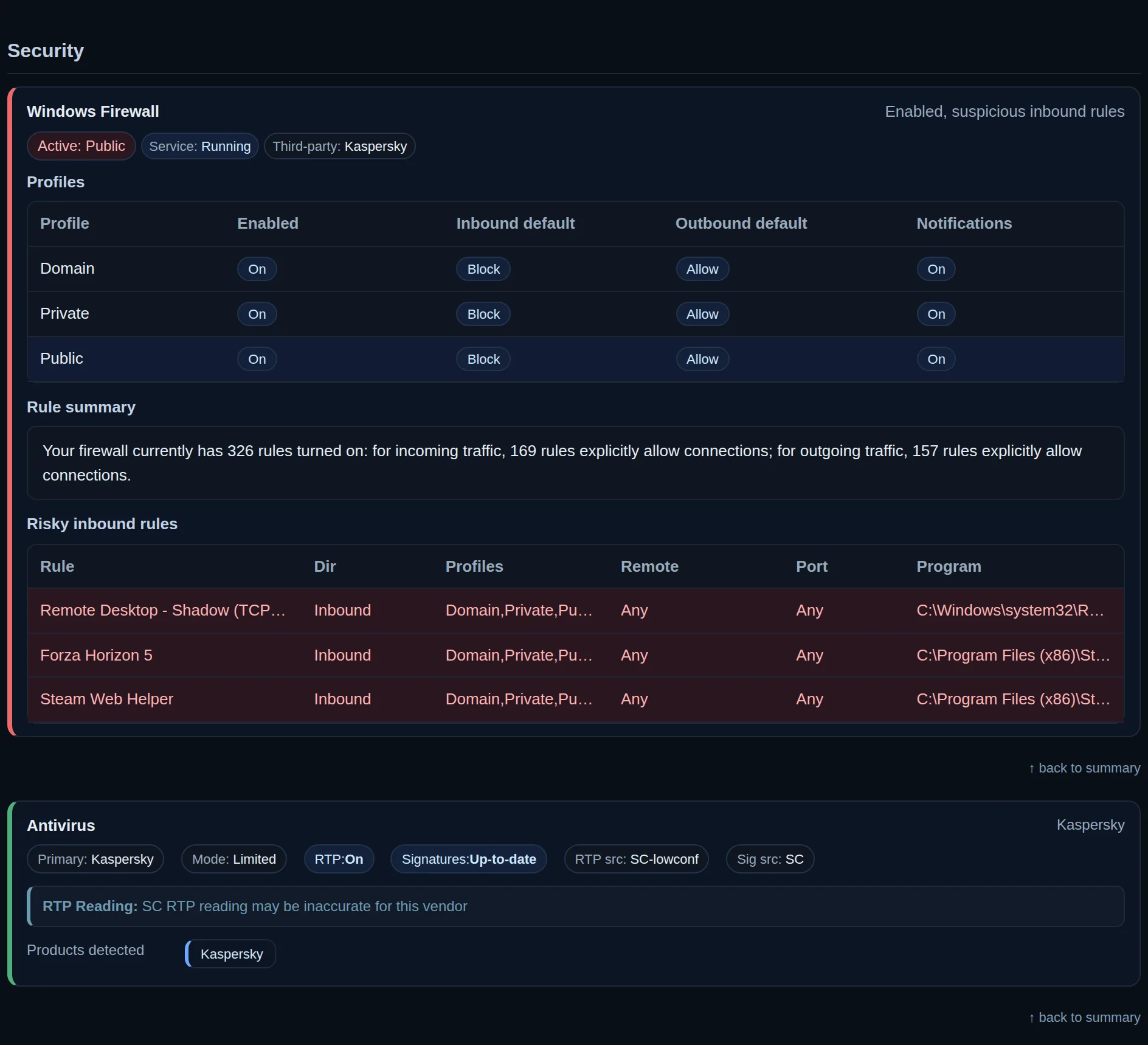
The Security section of a report
Security Firewall and antivirus, on or off, current or stale, with the rules that should not exist flagged.
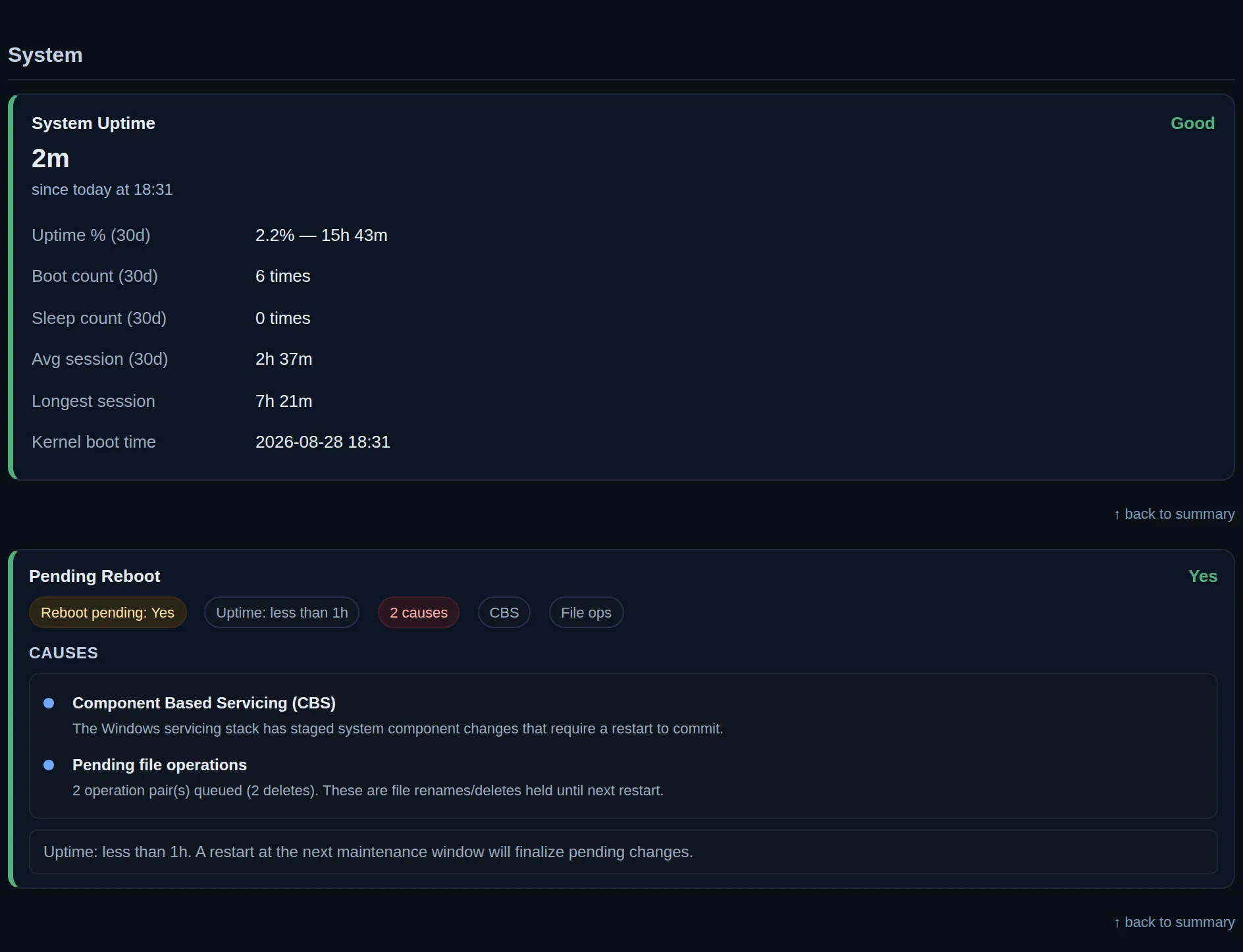
The System section of a report
System Uptime and restarts, and the pending restart that has waited for weeks and holds back the updates.
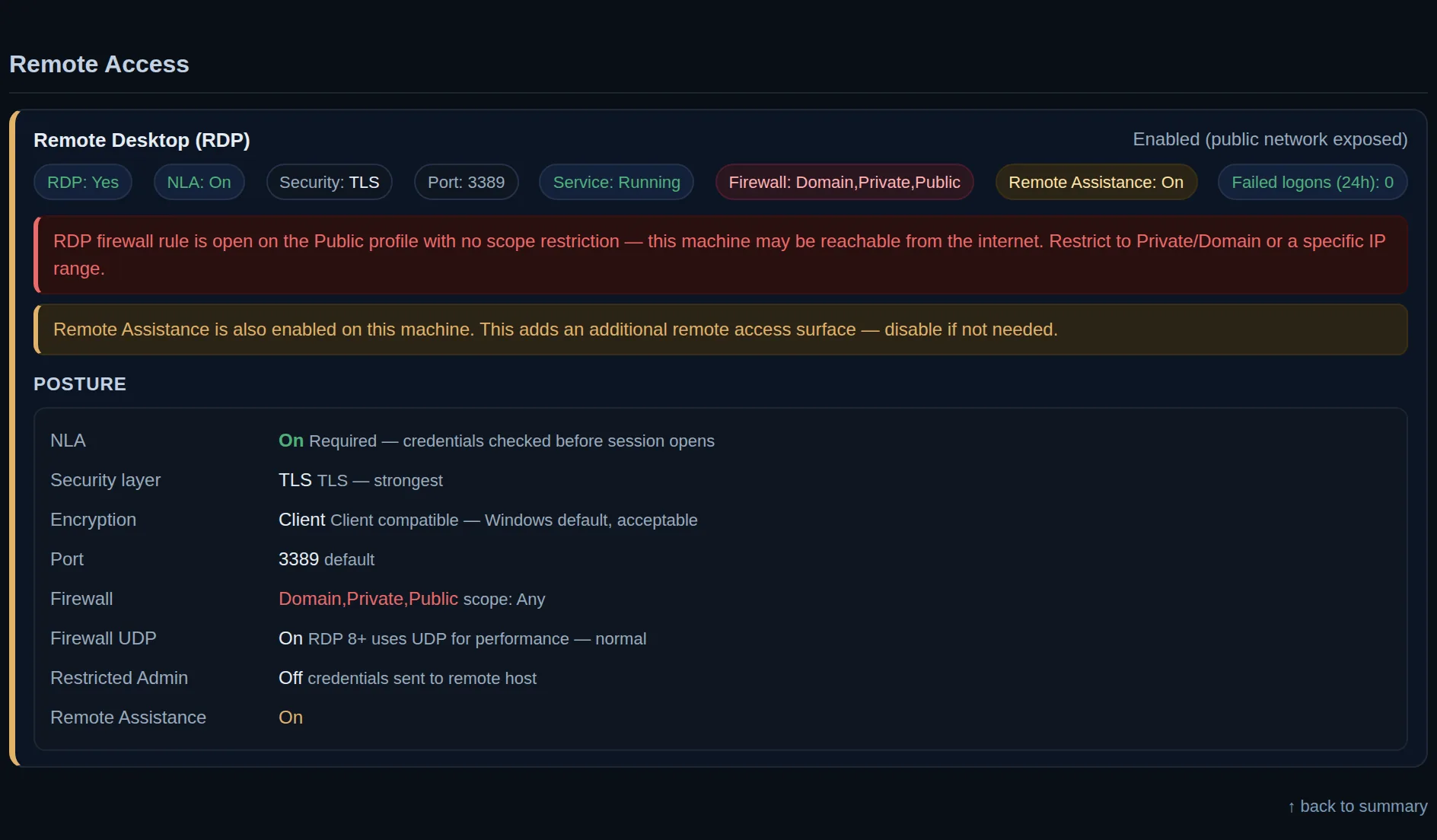
The Remote access section of a report
Remote access Every way in from outside, listed, so one left open is closed today instead of found too late.
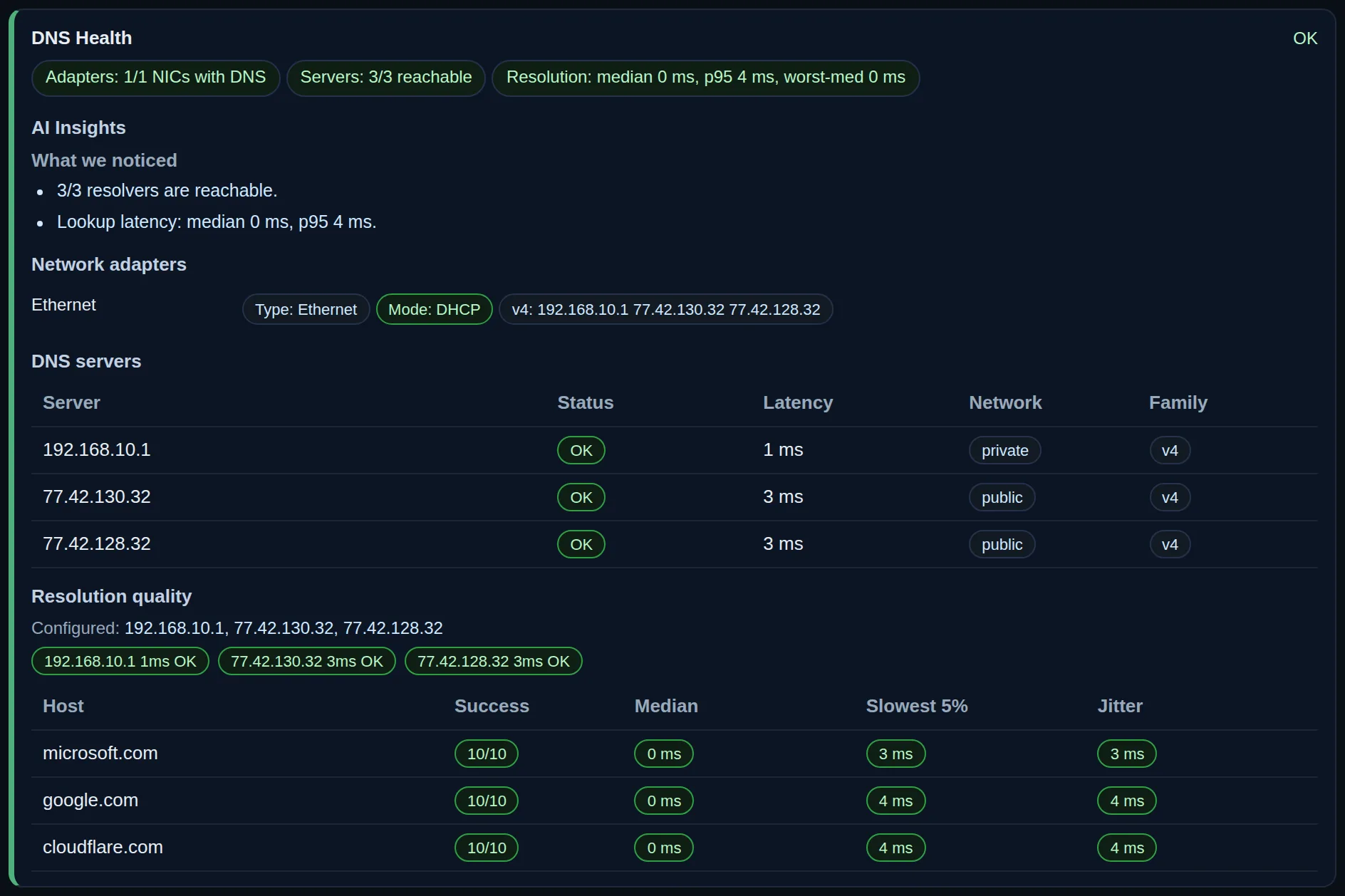
The DNS health section of a report
DNS health Whether names resolve and how fast, so you know if the fault is the line or the DNS servers.
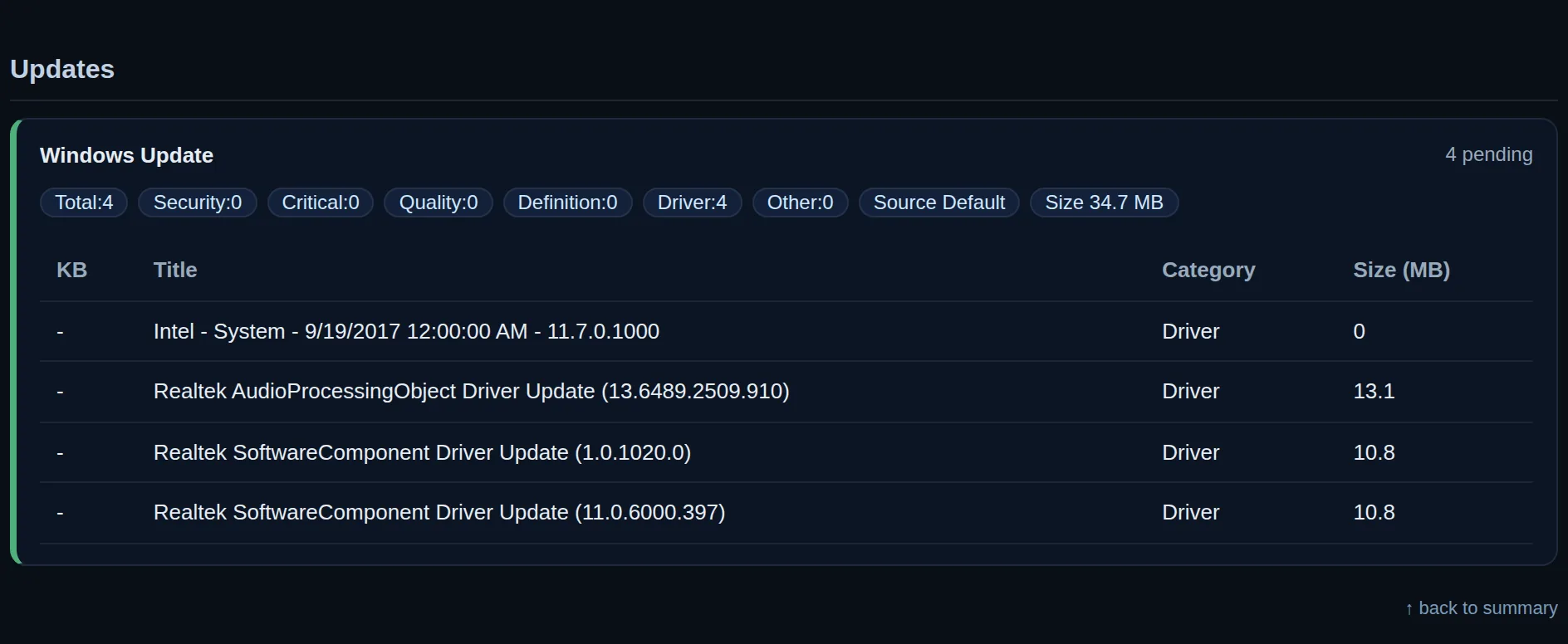
The Updates section of a report
Updates The updates waiting, and the security ones among them, so no machine sits months behind quietly.
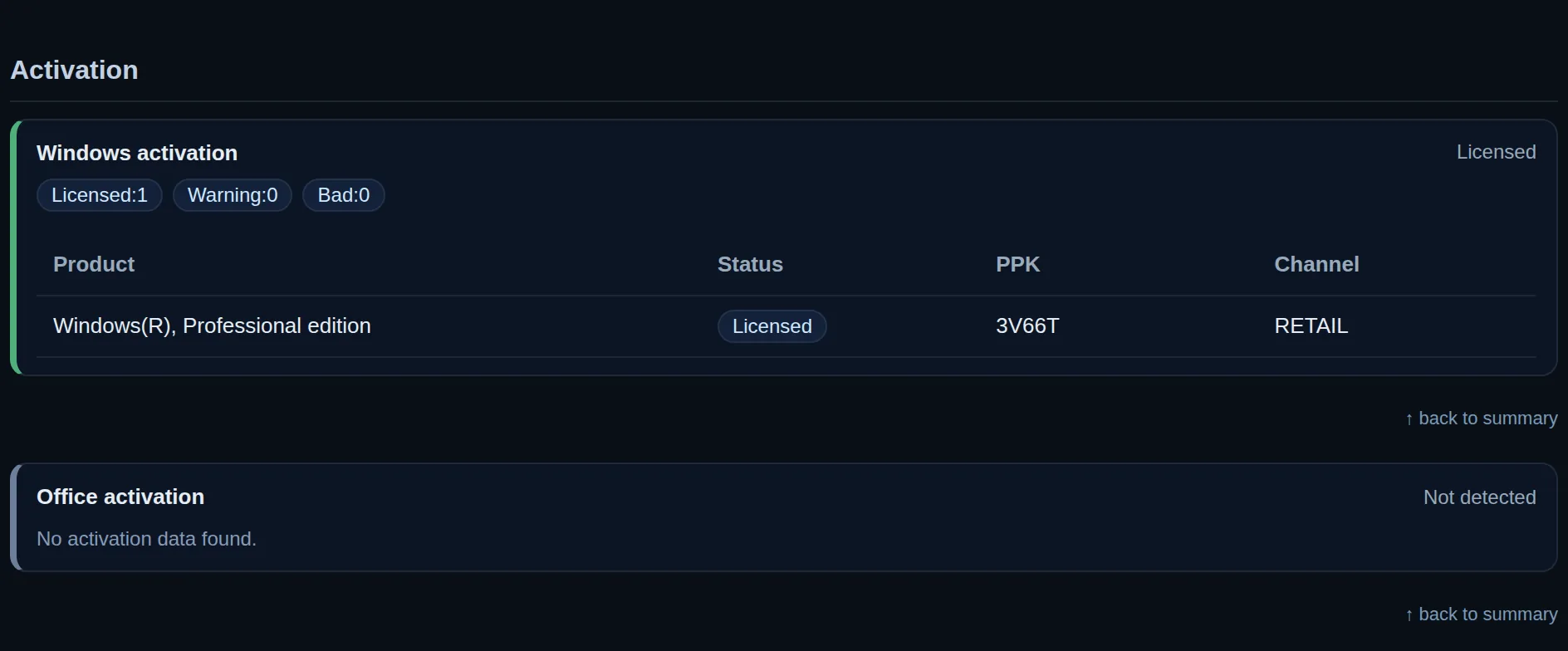
The Activation section of a report
Activation Windows and Office licences on every machine, so an audit or a deactivation never surprises you.
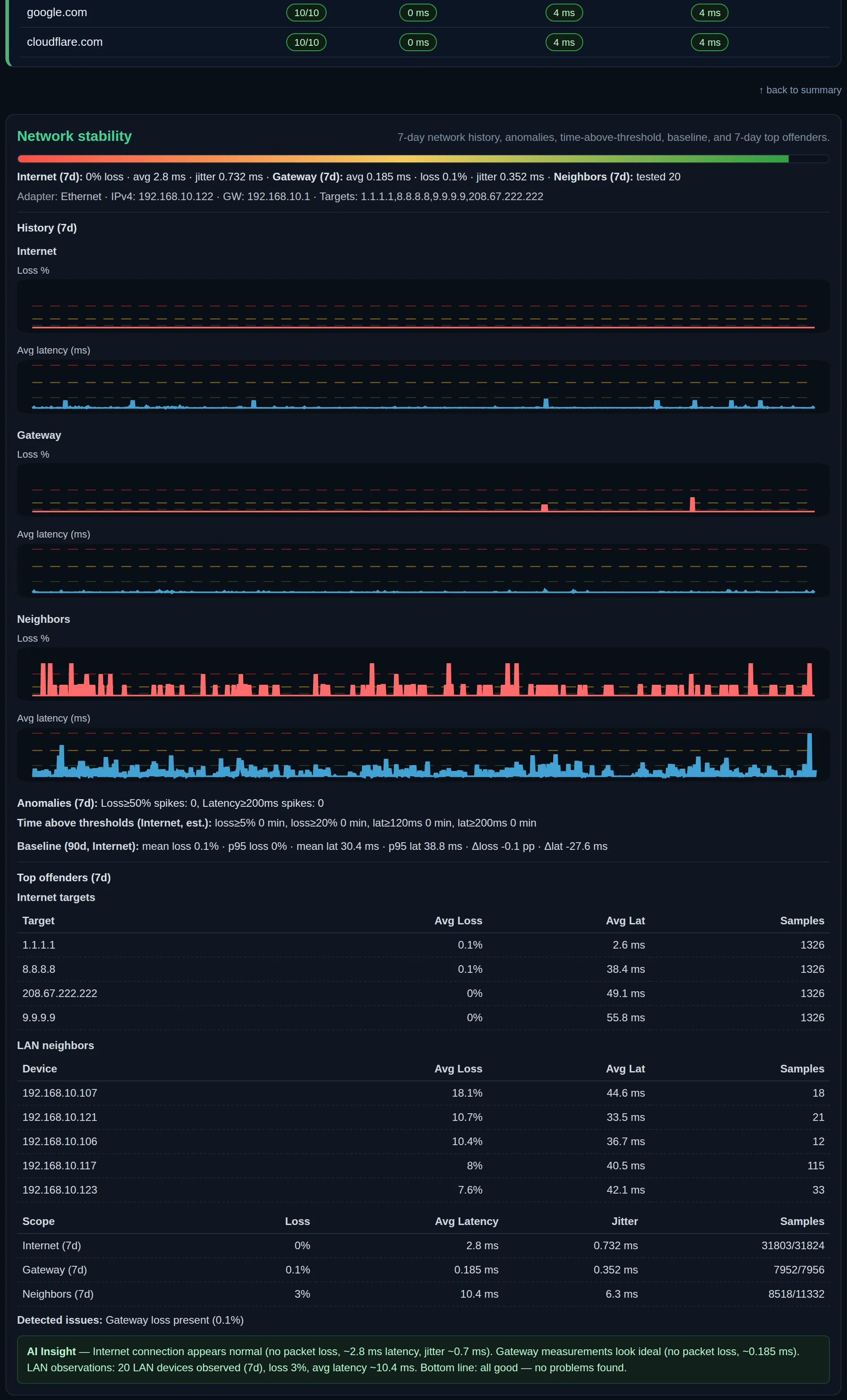
The Network stability section of a report
Network stability Loss and latency through the week, measured, so a slow line is proven to the provider with data.
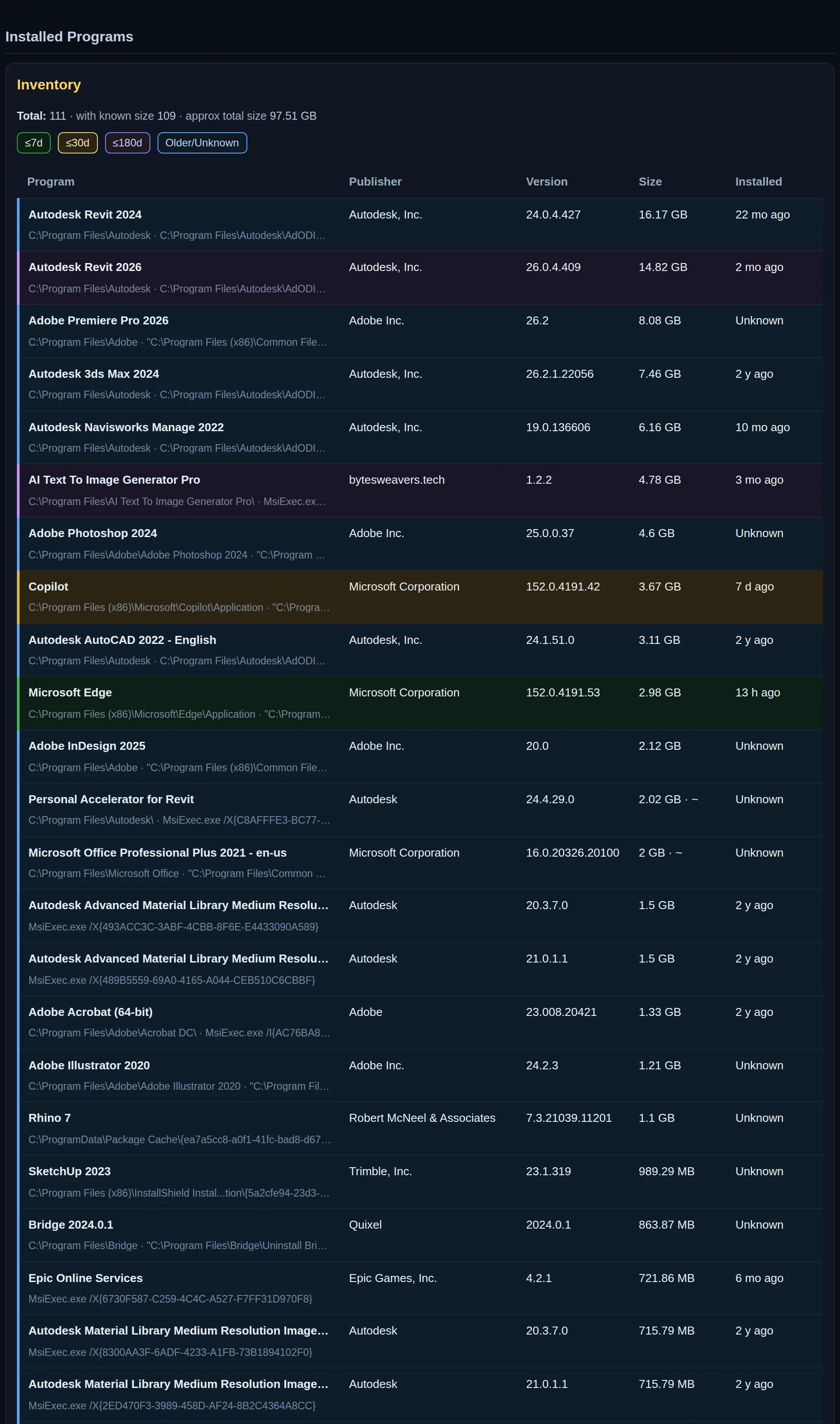
The Installed programs section of a report
Installed programs Every program on every machine, with the ones nobody asked for. Also the list an auditor wants.
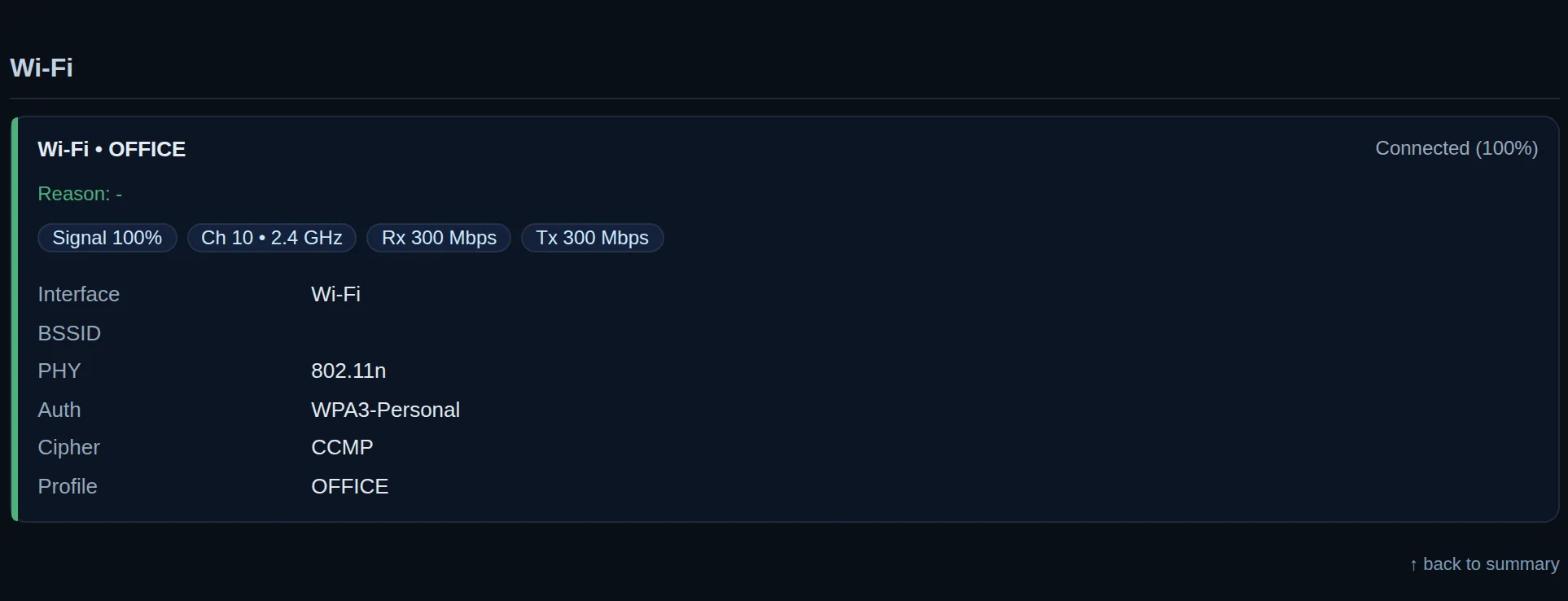
The Wi-Fi section of a report
Wi-Fi Signal, band and speed at that desk. A weak signal explains a slow machine that is otherwise fine.
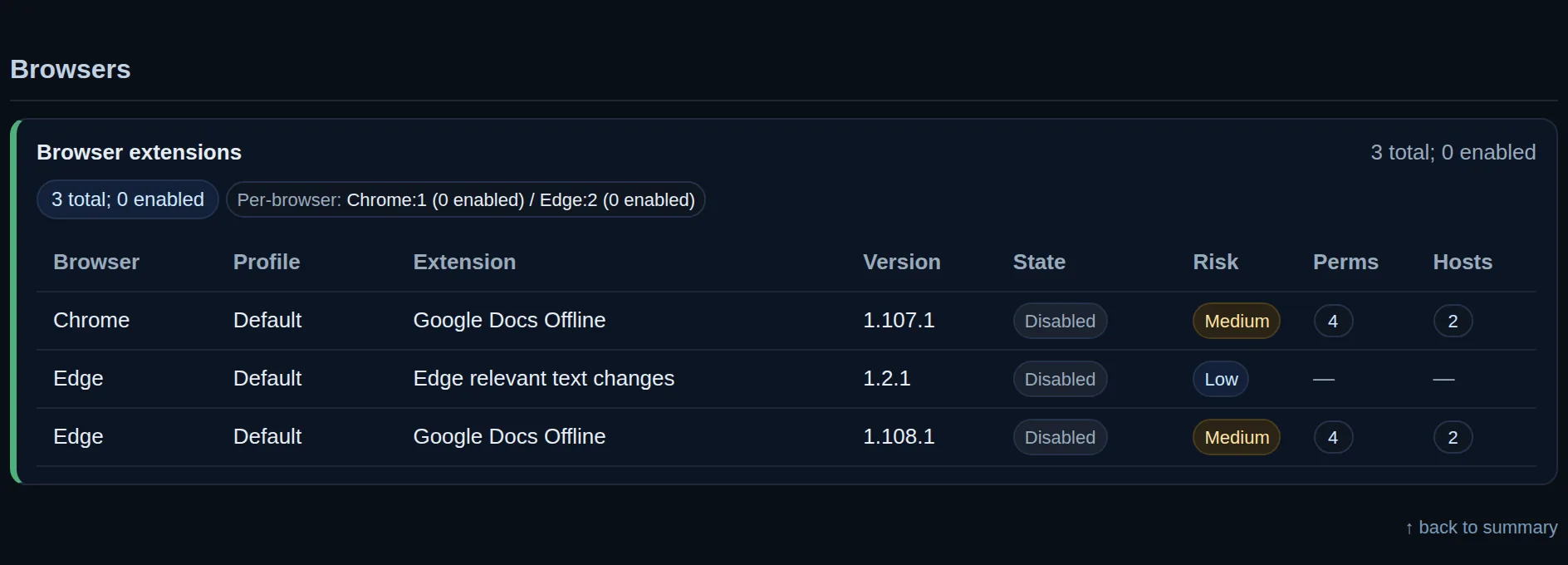
The Browsers section of a report
Browsers Browser extensions on every machine, including the ones that read what people type into pages.
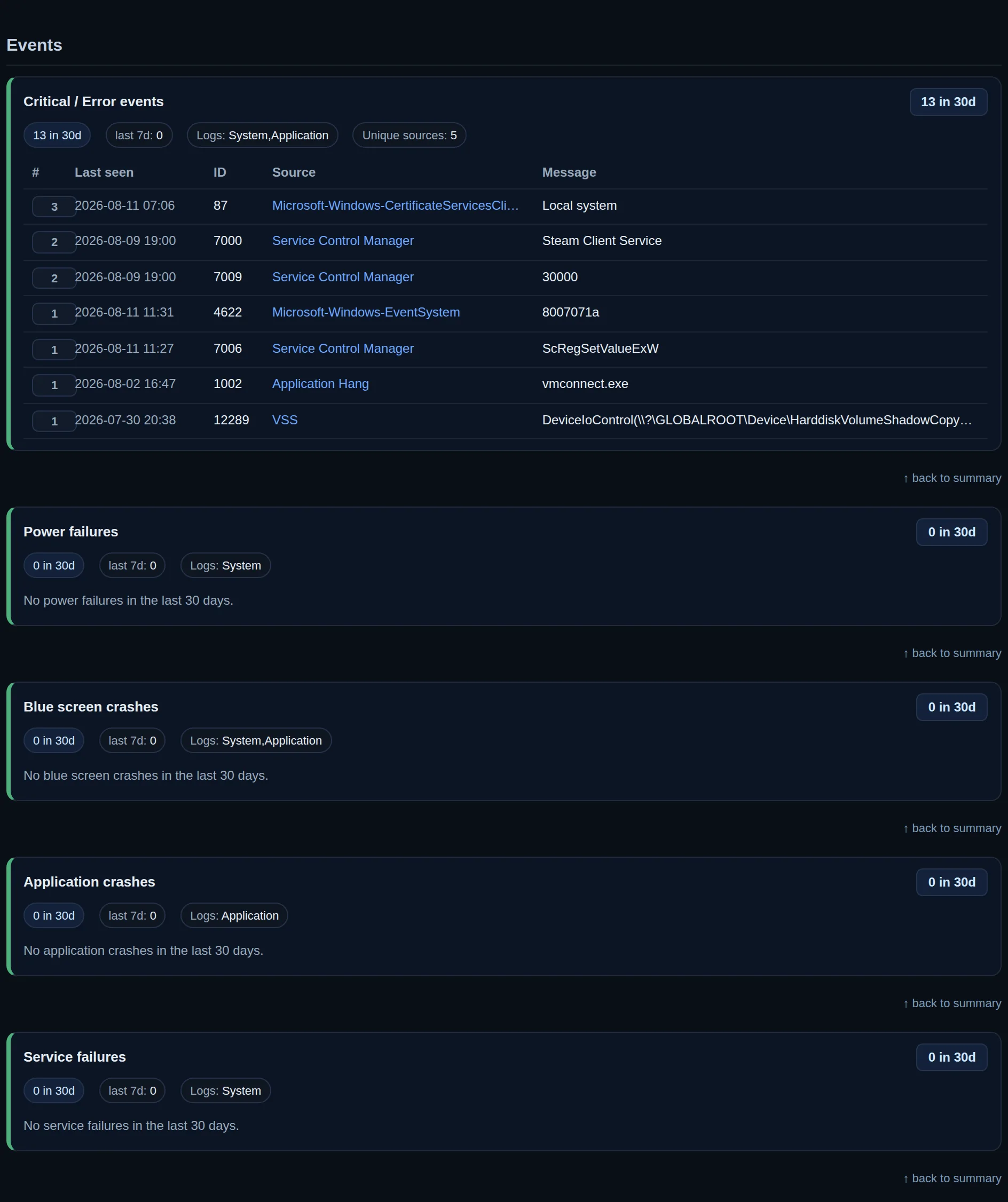
The Events section of a report
Events The machine's own error log, counted over the month, including the crashes that nobody reported.
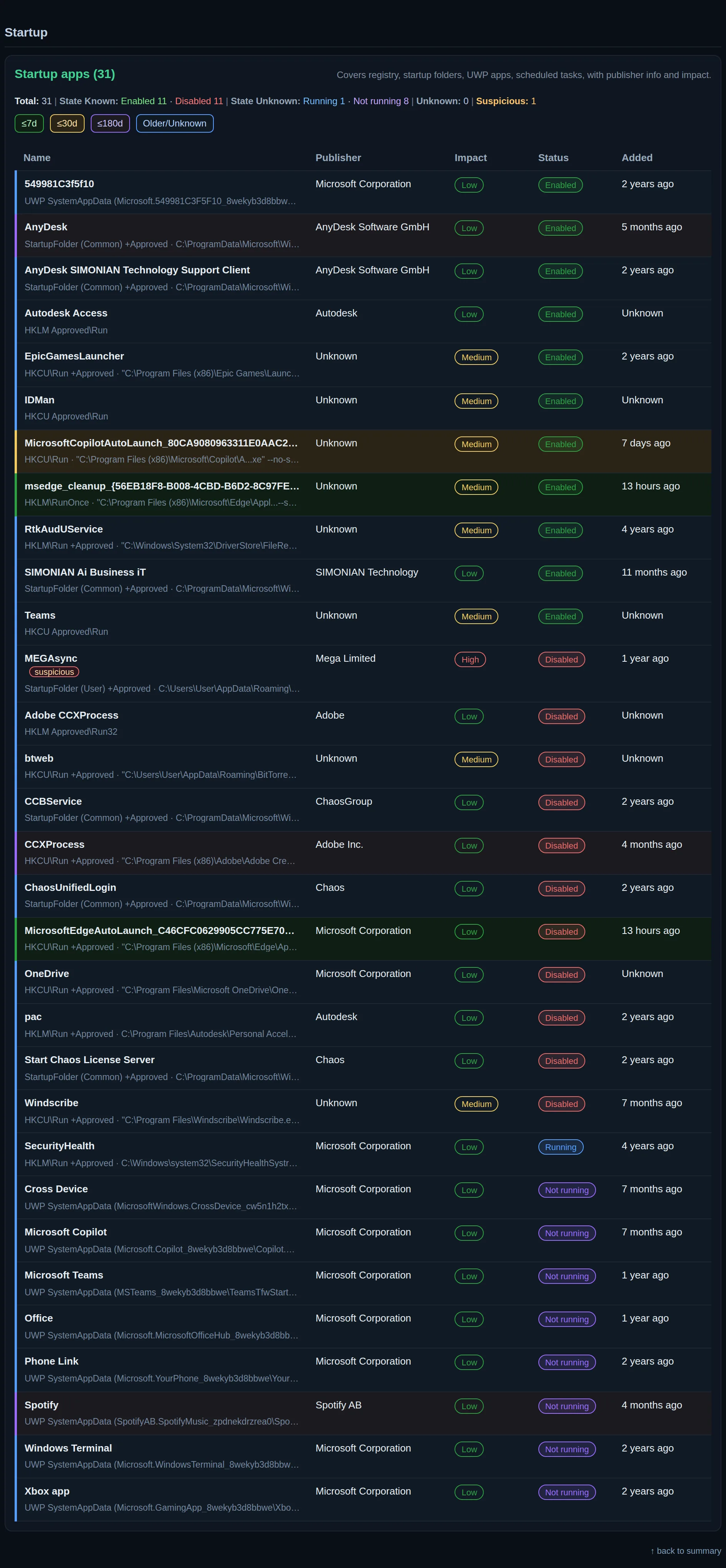
The Startup section of a report
Startup What launches with Windows, the usual cause of a slow start, listed with what each one costs.
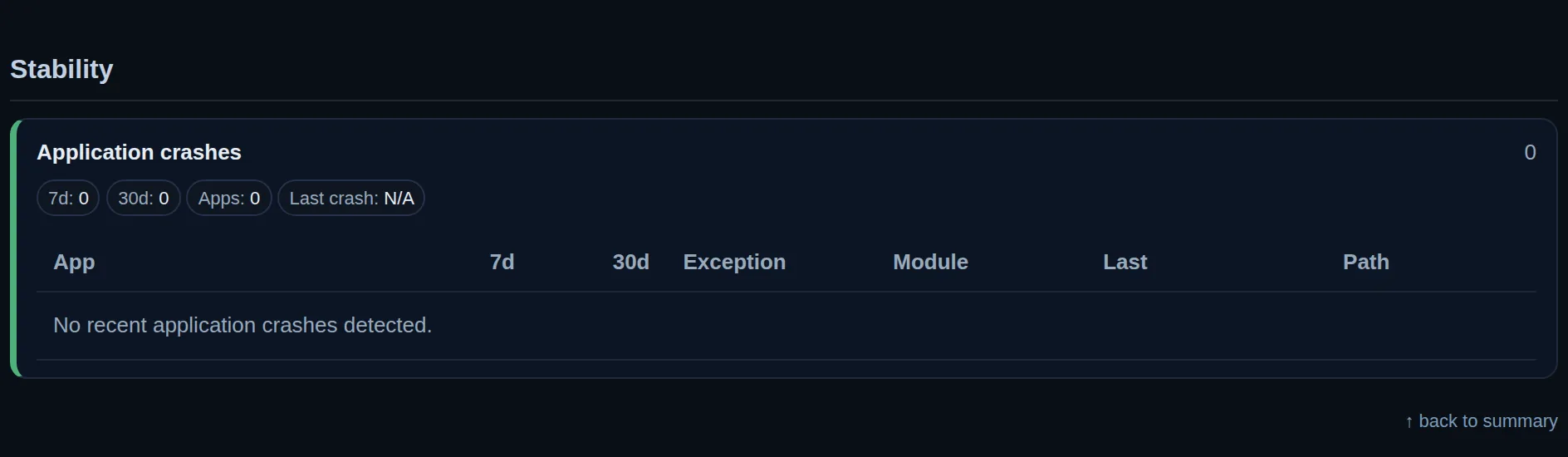
The Stability section of a report
Stability Which programs crash, how often, and the file behind it, so a bad program is replaced, not endured.
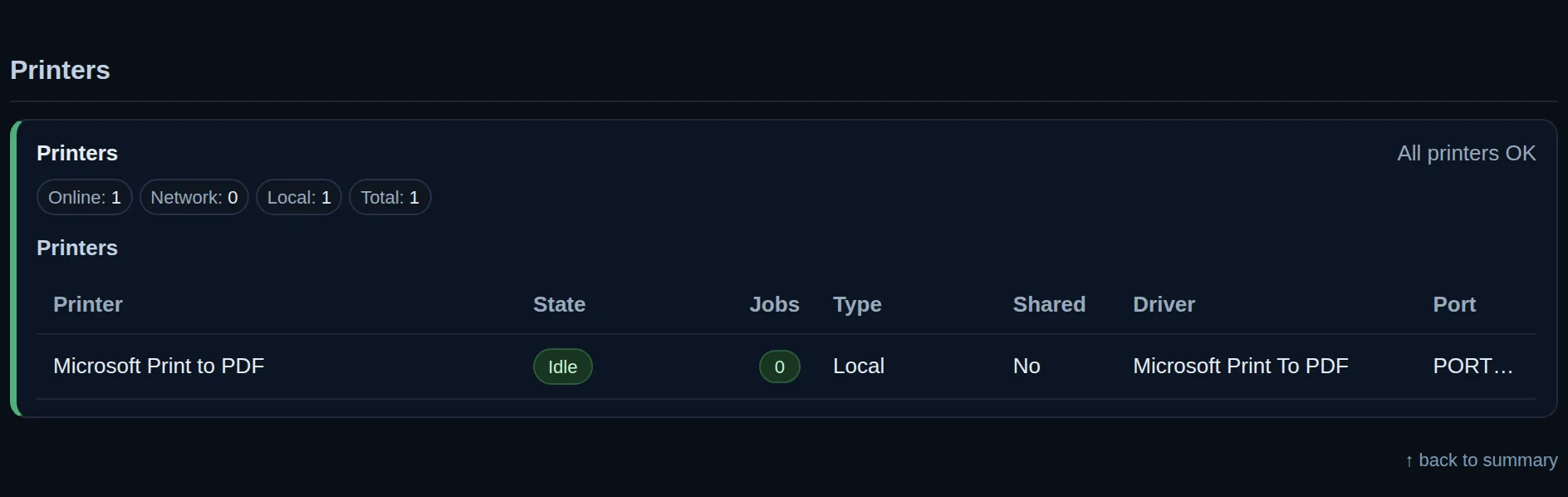
The Printers section of a report
Printers Every printer each machine knows, with the stuck queue that stops a whole floor from printing.
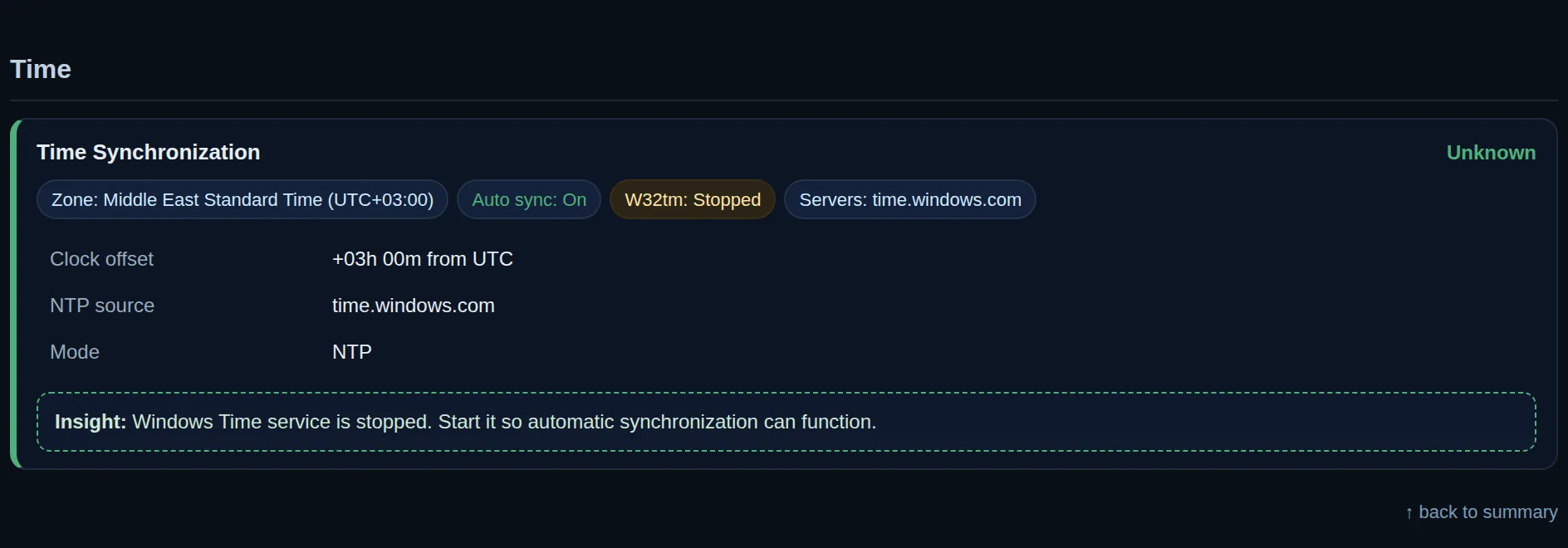
The Time section of a report
Time A wrong clock breaks logins, email and shared files. It is checked on every machine, every time.
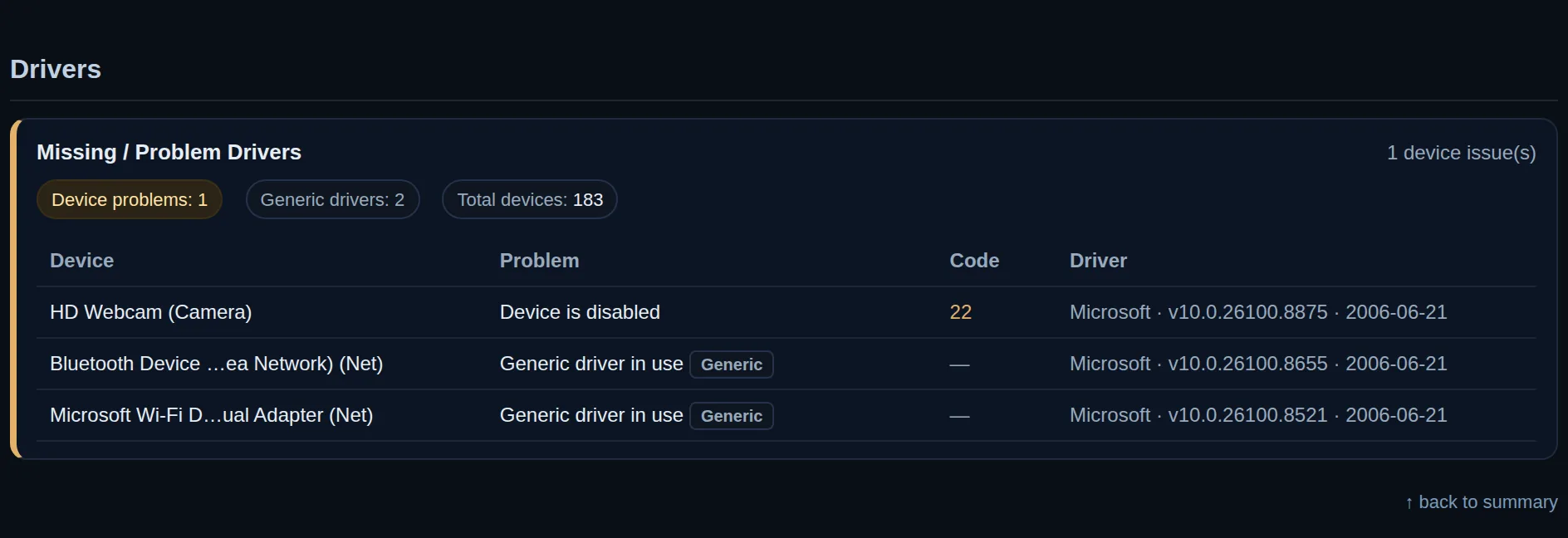
The Drivers section of a report
Drivers Missing or broken drivers, found and fixed before the printer or the camera stops working.
The Network adapters section of a report
Network adapters Which network card is in use, at what speed and with what address. What support asks for first.

30 days free trial for companies and IT teams

Try it on your company machines for 30 days, free. If you like it, keep it. If not, remove it.

How AI Business IT is charged

Licensed per company or per site, sized roughly to the number of machines. A few more or a few less does not change it. Included in the IT management and support agreement at no extra cost.

Our own software

We wrote this software and we use it ourselves, every day. We do not resell anyone else’s. It is updated all the time and new checks are added. The IT teams who use it tell us what they need, and that goes into the next version.
Get in touch

Tell us what you need.

WhatsApp, email or phone.